Eligible courses entail:
- The courses that can have grade option switched are currently set with the letter grade option set (The exception policy is to allow a change from the letter grade option to the S/NC option, you cannot change an existing S/NC option to letter grade)
- The registered fall 2025 course has not already been graded with either a passing final grade or an NC
- If the course grade has already been entered with INC in an eligible course, you will see that and you can select the S/NC option accordingly but read the instructions in the application as to processing time.
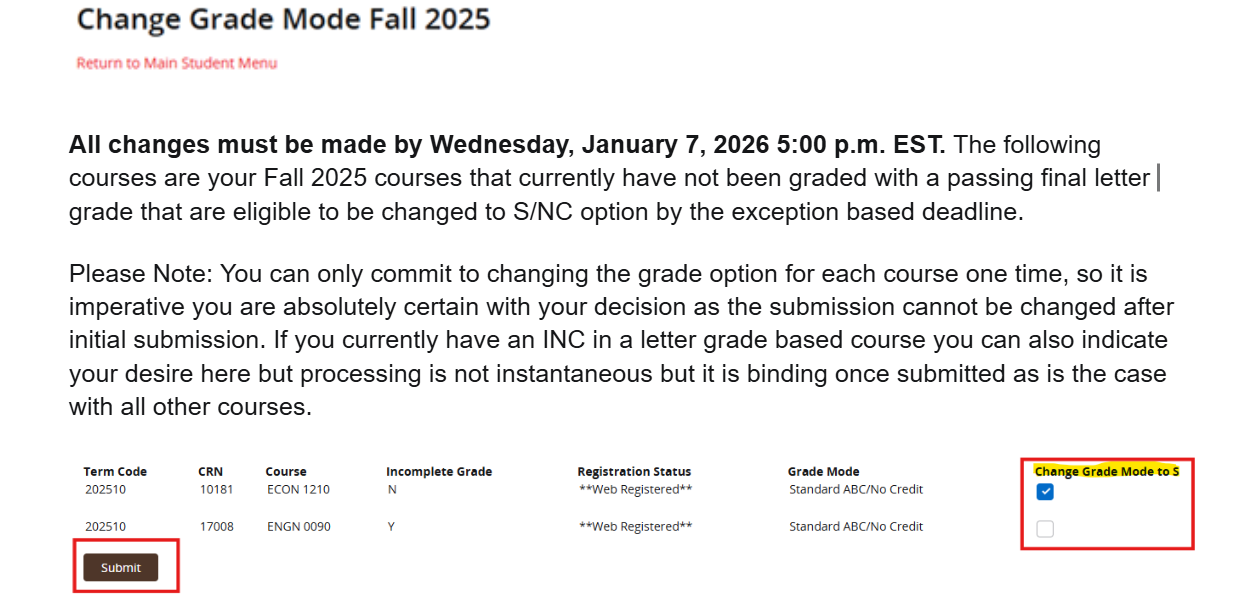
You can change all eligible courses at once or individually at your discretion from now until the application closes on Wednesday, January 7, 2026 at 5:00 p.m. EST.
NOTE: Once you submit a change to the grade option, it is binding and irreversible (you can not go back and change it), so please be absolutely certain that you want to proceed with each course indicated before submitting. Please follow the prompts in the application accordingly.
It is advisable to use a non-mobile device to perform this operation, given the tight development turnaround, mobile compatibility performance may be suboptimal/unresponsive.
Step 1: Log into Self-service Banner
https://selfservice.brown.edu
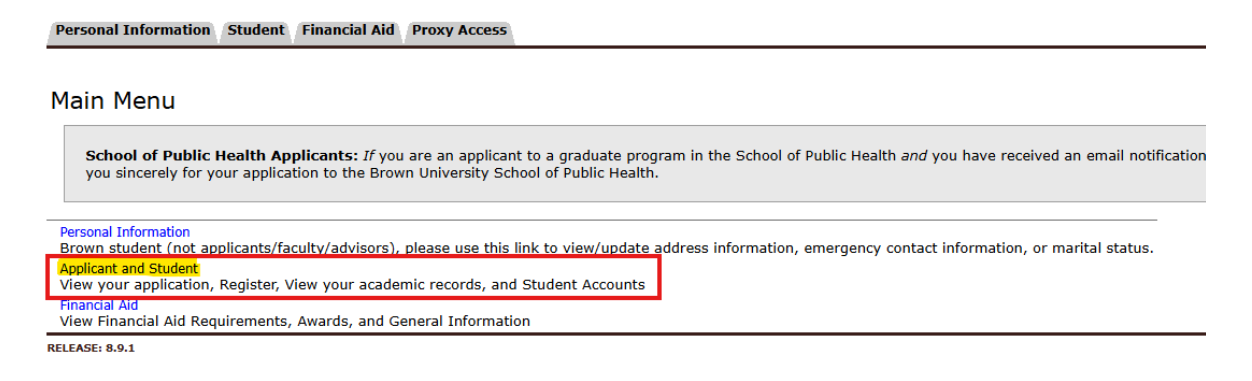
Step 2: Select the ‘Applicant and Student’ Link
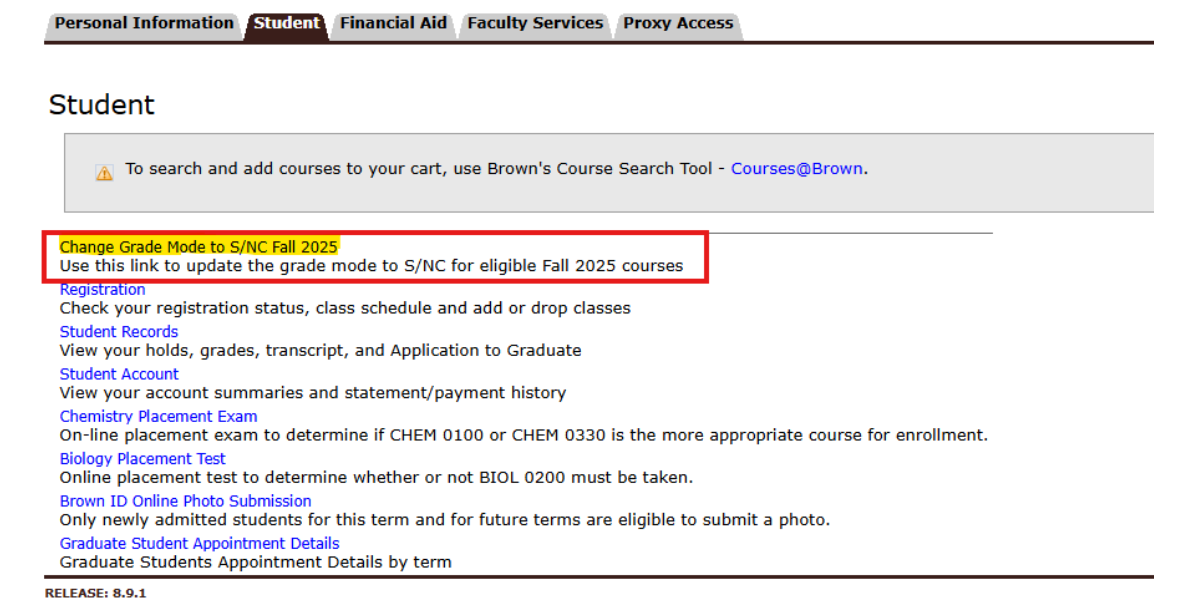
Step 3: Select the ‘Change Grade Mode to S/NC Fall 2025’ link
Step 4: Read the instructions carefully once in the application. Review the eligible courses and when certain you want to change the grade option to S/NC check the box labeled ‘Change Grade Mode to S’ and click the Submit button
Step 5: Read the Commitment prompt carefully! Again, if you are not certain as the change is binding and irreversible once processed even if submitted prior to the January 7, 2026 deadline you should click cancel. If certain you want to proceed click OK.
Step 6 : You will get a confirmation message on your screen, Read those directions and follow up on how to verify and click the OK button. Note: If the course has a grade of INC it may take 24-48 hrs to update on your internal academic record as those are being processed manually and in the order received during business hours.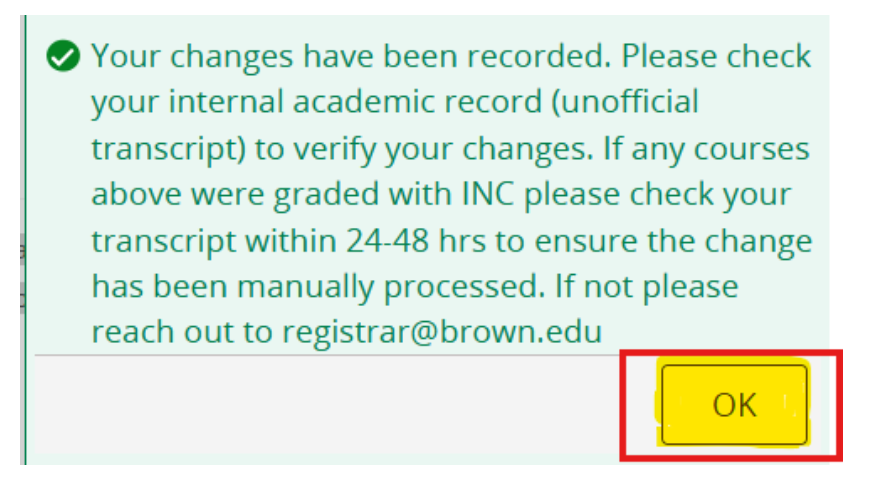
Step 7: Click the Return to Main Student menu when finished.
